You have made time for the gym. Flux 8.6.0 helps you make the most of it: get into your workout faster, see where you are progressing and leave with a clearer idea of what to aim for next. A fresh Light theme and individual set editing make the experience feel more like yours.
Get to your training sooner
When you are ready to train, a quicker app helps you keep that momentum. Startup, Dashboard scrolling, Insights, Exercise Performance, workout history and the calendar have all received performance improvements, so getting to your session and checking your results feels more fluid.
You can still look back at your full exercise history, find a favourite workout or check the details of a previous session. Custom exercises are included, and Exercise Performance refreshes when you change an exercise or record its first workout.
Normal launches move on as soon as Flux is ready. The brief welcome animation now belongs to onboarding, where the Flux letters rise and settle in a wave from left to right. It respects Reduce Motion and does not add an animation delay to your usual launch.
This update also improves startup access checks and the way Flux restores streak information after workouts sync.
Choose a theme that fits your device
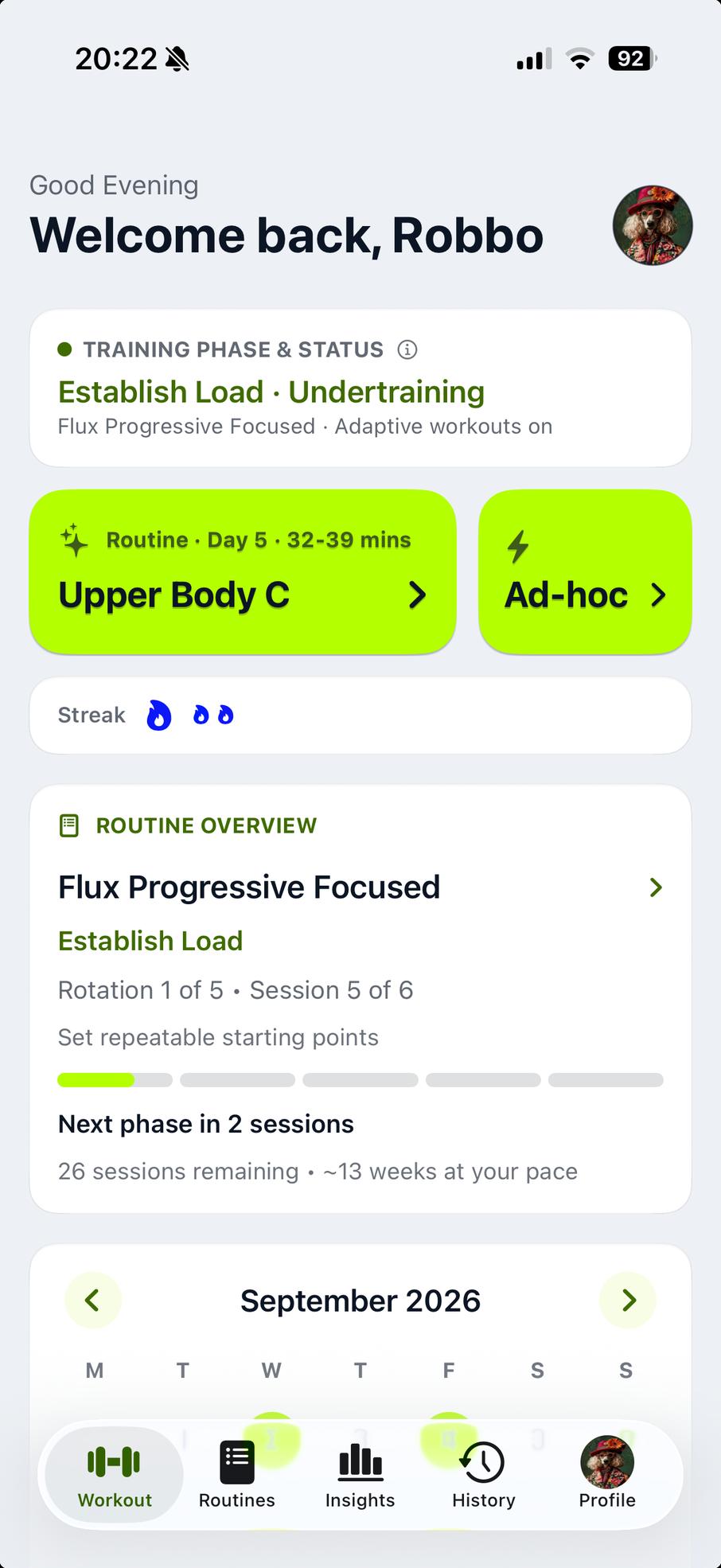
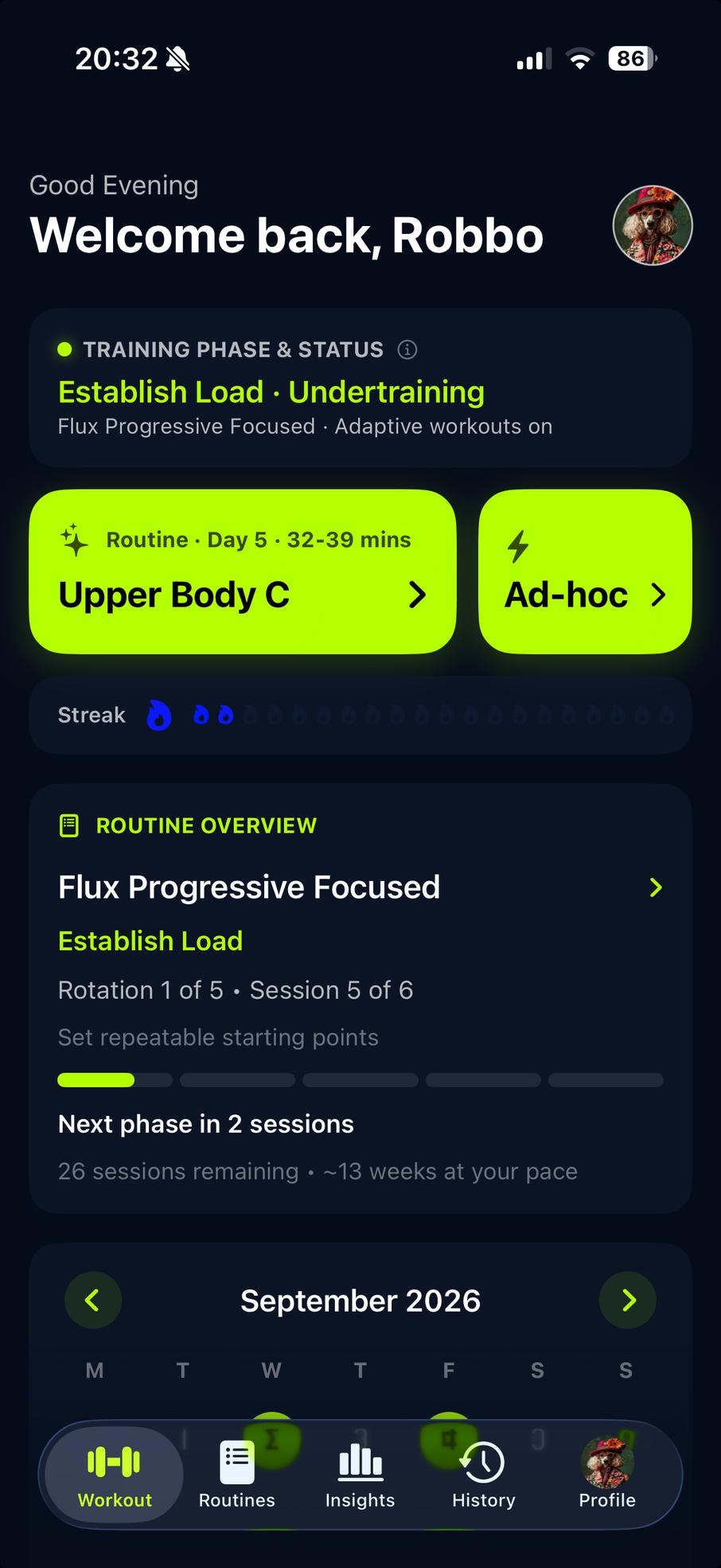
Choose a look you enjoy coming back to. Open Profile, choose Theme and select System, Light or Dark. System follows the appearance selected on each device. Existing users stay on Dark until they choose another theme; new users begin with System. Your signed-in choice syncs with your Flux account.
Light combines white cards, deep green accents, navy text and Flux lime, with short, crisp shadows. Dark keeps the familiar Flux look. The theme carries through workouts, routines, history, Insights and settings.
Supported home widgets and Live Activities follow where iOS permits. Dynamic Island, Always-On and tinted Home Screen presentations still follow Apple's appearance rules.
See whether your training is working
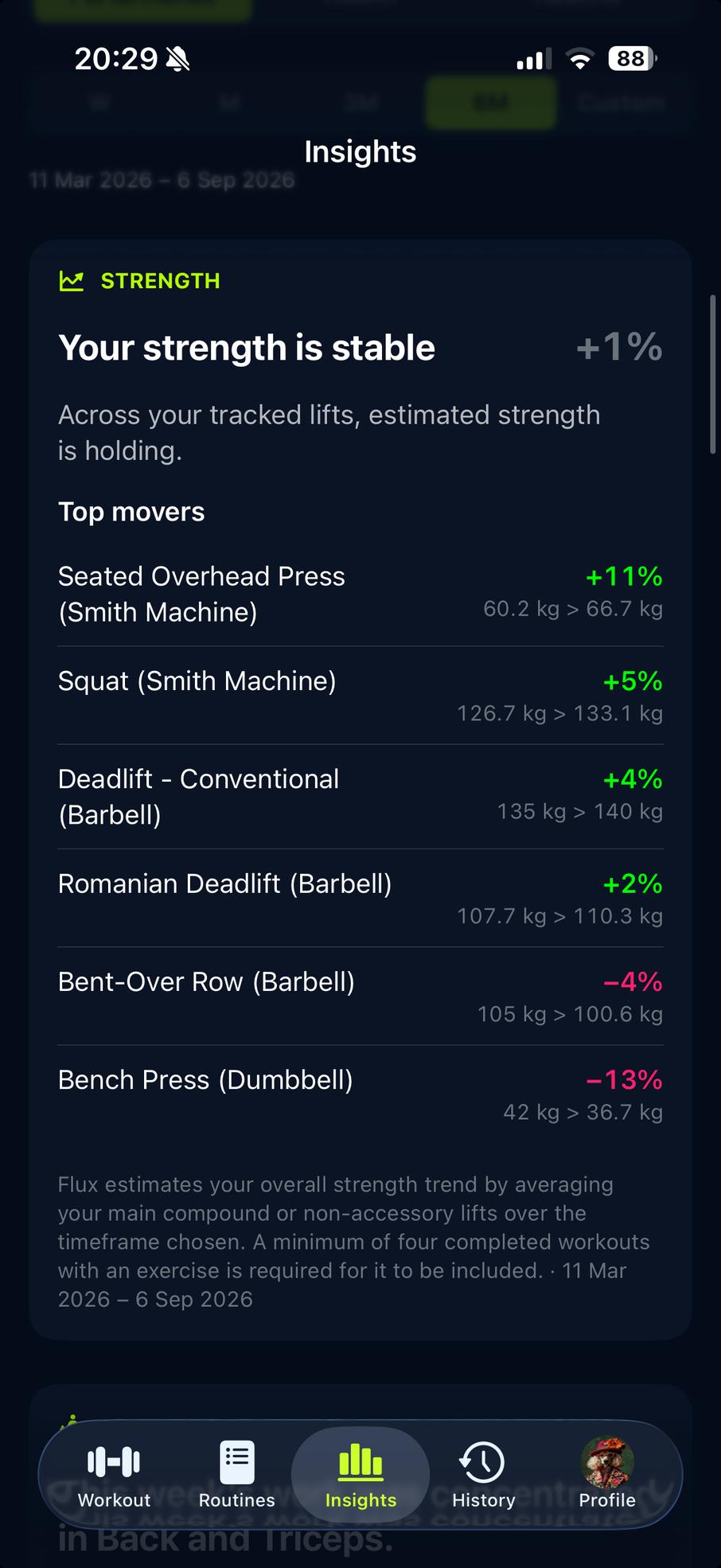
Spot lifts that are moving forward, see how regularly you are training and understand the evidence behind your results. The Training headline brings together Strength, Health, Consistency and Velocity to help you see whether your training is making a difference. When there is not enough data to draw a conclusion, Flux tells you.
Performance and Health use the dates you select. Routine uses recorded history linked to your current routine, including earlier periods when you used that same routine. Its findings help you review progress, adherence, enjoyment, difficulty and how well the plan fits. Where shown, recovery context looks at recent training across routines.
Exercise Performance keeps both strength and timed exercise history available. Health findings use recorded evidence, including sleep, rather than filling missing nights with a profile estimate. Apple Health remains optional.
Set up each set your way
Your sets do not all have to look the same. Individual set editing in generated strength workouts lets you choose different weights, reps and effort targets, with clearer top-set and back-off details to help you follow your plan. Your chosen set count and mixed targets carry through workout preparation, while eligible adaptive adjustments still apply. Timed and HIIT exercises keep their existing controls, and Routine Library programmes keep their authored progression.
Keep your attention on the set in front of you. Warm-up and working sets appear together within each exercise, while the updated Set Types guide and back-off labels make the targets easier to follow. Loads respect the equipment increments in your gym.
A quick glance tells you what is done and what is next: ready sets show an arrow, and completed sets switch to a Flux lime tick. Tap a completed set again to undo it. Improved spacing keeps the controls easier to read and use.
Know what to aim for next time
Finish your session with something useful to take into the next one. Workout Complete shows how each exercise compared with last time and gives a clearer next step. Depending on the workout, that might mean following the next programmed prescription, keeping the same weight, reaching the top of a rep range or using the saved weight increase.
Older Routine Library workouts now show the appropriate next-session guidance more consistently.
Check-in reports open with Strength and Health findings saved at the time of the report. These enhanced report pages are stored on the device where the report was created; they do not yet sync across devices or restore after reinstalling.
A clearer Dashboard and workout setup
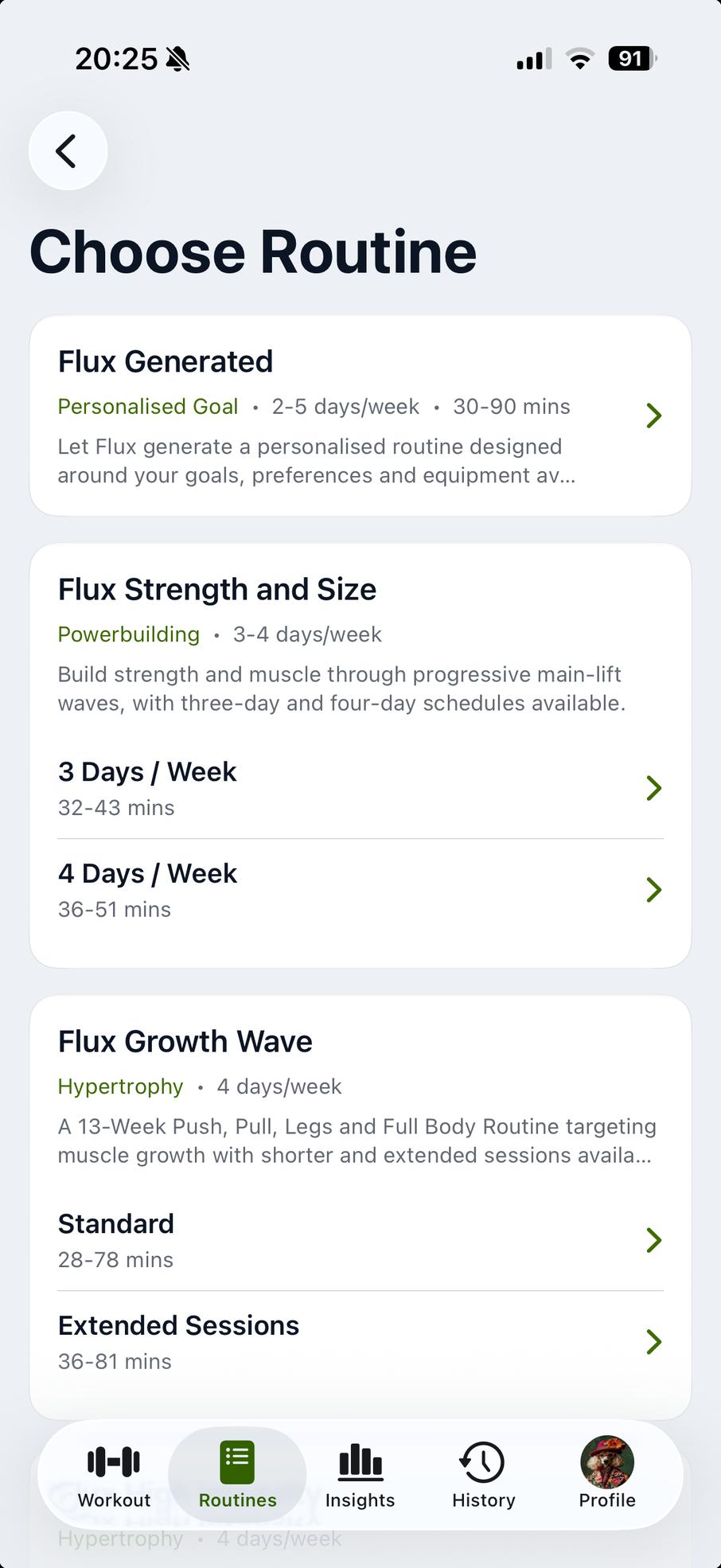
Find the detail you need without losing your place. Workout Settings, routine options and Routine Library rows are easier to scan, while cleaner Insights cards make findings stand out. Dashboard lists, Exercise Contributions and recent fatigue activity use the same clearer spacing and dividers.
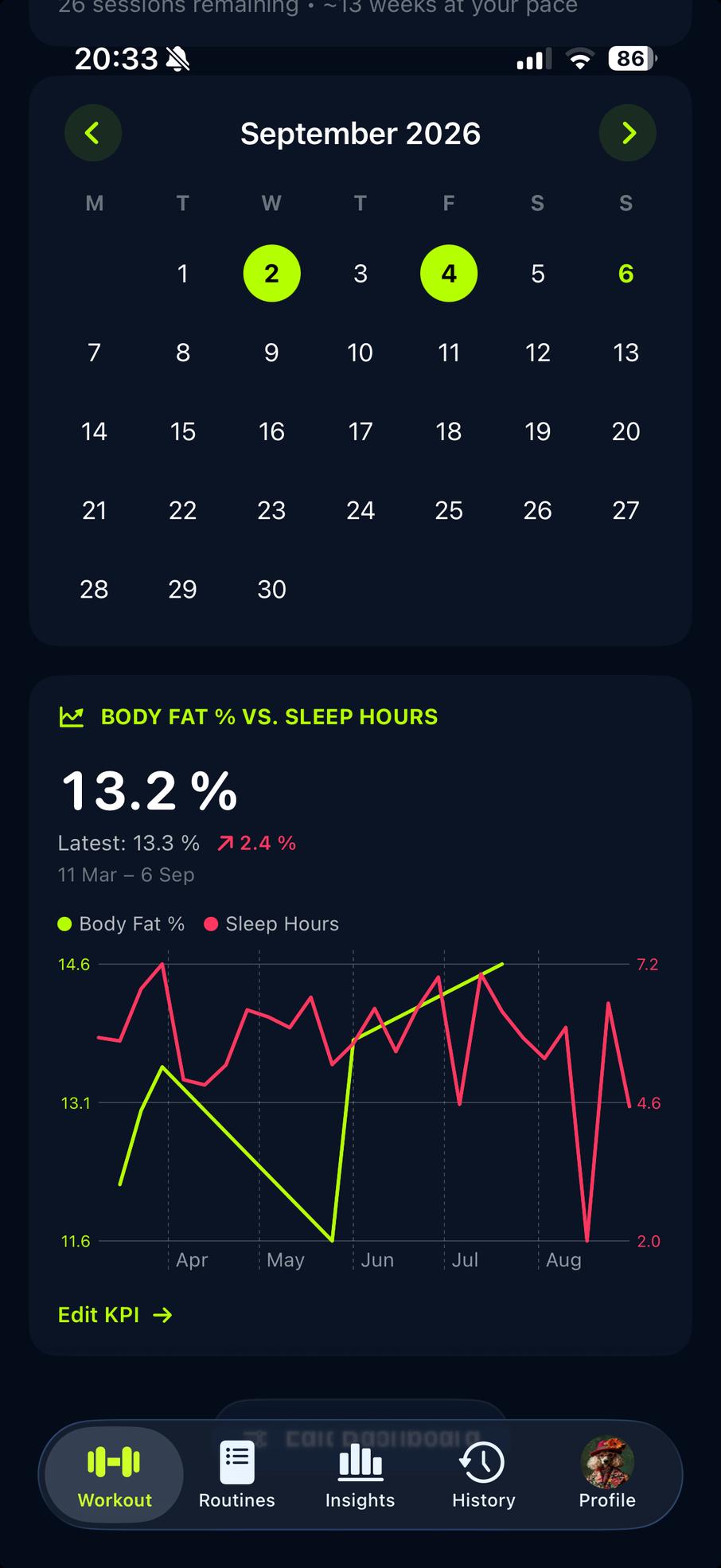
Keep recent progress close at hand with Dashboard KPI and Body Comp widgets covering Week, Month, 3 Months, 6 Months or Year. A previously saved All Time choice becomes Year, and a saved Custom choice becomes Month. Your records remain available, and Insights still offers All Time for the longer view.
Flux still offers a free download and a 14-day trial of every feature, with no subscription or automatic charge. After the trial, Lifetime Unlock is a single purchase for continued access. Eligible existing paid owners retain permanent Full Access.